
 Welcome bonus250 Free Spins + 100% bonus for the first 2 deposits
 Regular bonusesGrab up to 75 Free Spins + 30% bonus
- CashbackUp to 10%


Spinobon Sign Up
Registration won’t take more than a few minutes, and you don’t need to have played at an online casino before to figure it out. The steps are the same whether you’re on a desktop, mobile browser, or the PWA — and once you’re in, you can deposit, grab your welcome offer, and get into the games straight away.
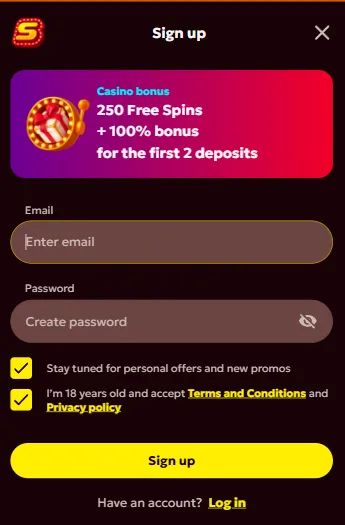
Step-by-Step Registration Process
It’s worth having your personal details nearby before you start. The Spinobon sign up process asks for accurate information right from the beginning — any mismatch between what you enter and what’s on your ID documents tends to slow things down at the verification stage, which in turn delays withdrawals.
Here’s how to get your account created:
- Visit the Spinobon homepage and click the “Sign Up” button
- Enter your email address, create a password, and select your country and currency
- Accept the Terms and Conditions and Privacy Policy, then click “Sign Up”
- Fill in your personal details — full name, phone number, date of birth, and address
- Confirm your actions to complete the registration
Once that’s done, your account is live and ready — deposits, bonus activation, gameplay, all of it. One account per player, no exceptions. You also need to be at least 18 to Spinobon register and use any part of the platform.
Account Verification After Registration
Every licensed platform requires verification before withdrawals can go through, and this one is no different. It usually takes somewhere between 2 and 24 hours depending on what you submit and how quickly the team gets through it.
Getting verified is worth doing sooner rather than later — it unlocks a few things that make the experience noticeably smoother:
- Faster withdrawal processing
- Easier deposits with fewer payment restrictions
- Improved account security
- Full access to all bonus types
To get it done, log in and head to the Verification section in your profile. Upload what’s needed — JPG, JPEG, PNG, PDF, and HEIC are all accepted, with a combined limit of 20 MB across no more than 3 files at a time. If something gets rejected, you’ll hear back by email with details on what to fix.
Accepted Documents and Verification Requirements
Beyond the standard documents, the support team can ask for extras if something needs clarifying. The table below covers what’s typically required during the Spinobon signup process.
| Document Type | Purpose | Examples |
| Identity document | Confirm your identity | Passport, ID card, driving licence, citizenship card, residence permit |
| Proof of address | Confirm your location | Utility bill, bank statement (dated within 3 months) |
| Source of funds | Confirm payment legitimacy | Bank statement, employment contract |
| Selfie | Match face to document | Photo holding your ID |
Everything gets reviewed by the support team, and you’ll get a confirmation by email once you’re approved. Any issues along the way — whether during sign-up or verification — can be sorted through customer support, which runs 24/7.port, we provide everything needed for an exceptional online casino experience. Download our casino mobile app for enhanced convenience and claim your exclusive 20 free spins installation bonus today!